Nelly Mugambi
I run the engine room so you can steer the ship.
I help founders, business owners, and leaders of growing teams stay organized, streamline operations, and focus on what truly matters by managing the systems behind their daily success.

A Trusted Partner for Executive Operations
I support founders, business owners, and leaders of growing teams by managing the systems and tasks that keep their day running smoothly. My work is centered on creating structure, improving efficiency, and ensuring nothing falls through the cracks. With a background spanning executive support, IT support, and data analysis, I don't just complete tasks. I understand systems, workflows, and how to improve efficiency behind the scenes.
Executive Support
Calendar management, correspondence, and high-level coordination.
Workflow Management
Systems thinking and process documentation.
Operational Efficiency
Streamlining day-to-day operations for maximum productivity.
Why Work With Me
I bring a different kind of support than a typical VA, one shaped by a background in IT support and data analysis, not just admin work. That means I don't just execute tasks, I look for the system behind them. If your inbox is chaotic, I don't just clear it, I build a process so it stays clear.
I'm early in my journey as an Executive Virtual Assistant, and I say that plainly because I'd rather earn your trust than oversell it. What I do bring: a genuine habit of discretion, a technical mind that picks up new tools fast, and consistent reliability.
If you're looking for someone to be your first EVA hire, I'd love to be that person. You'll get the full focus and care that comes with someone building their reputation one client at a time.
What I Deliver
Comprehensive support across five key areas, designed to keep your operations running smoothly.
Executive & Administrative Support
- Calendar and inbox management
- Meeting coordination and minutes
- Travel arrangements and logistics
- Professional correspondence
Operations Support
- Process documentation and SOPs
- Data entry and reporting
- Workflow optimization
- Task and project tracking
Automations & Workflow Integration
- n8n workflow automation and AI-agent orchestration
- Zapier workflow automation and app connections
- Automated email and notification systems
- Task automation and scheduling
- Integration of tools for seamless data flow
Technical & Digital Support
- Platform and tool management
- CRM and database updates
- File organization and cloud systems
- Basic troubleshooting and IT liaison
Reporting & Data Support
- Analytics and reporting
- Data organization and visualization
- Performance tracking
- Insights and recommendations
Who I Work With
I work best with founders, business owners, and leaders of growing teams who want to hand off the operational side without losing control.
Founders and Startup Teams
Handling your own inbox, calendar, and client onboarding while trying to grow. I build order into the chaos so you can stay focused on the business.
Small Business and Service Business Owners
Consultants, coaches, and agency owners with client work to deliver and no time for the admin behind it.
Executives at Startups and Growing Companies
Busy leaders with packed schedules and high email volume who need reliable coordination and a support system that runs quietly in the background.
Technology I Work With
Proficient across the most widely used productivity, communication, and design platforms, ensuring seamless integration with your existing workflows.
Selected Work
A look at the systems, dashboards, and workflows I've built. Real screenshots below, captioned by what they solved, not what they are.
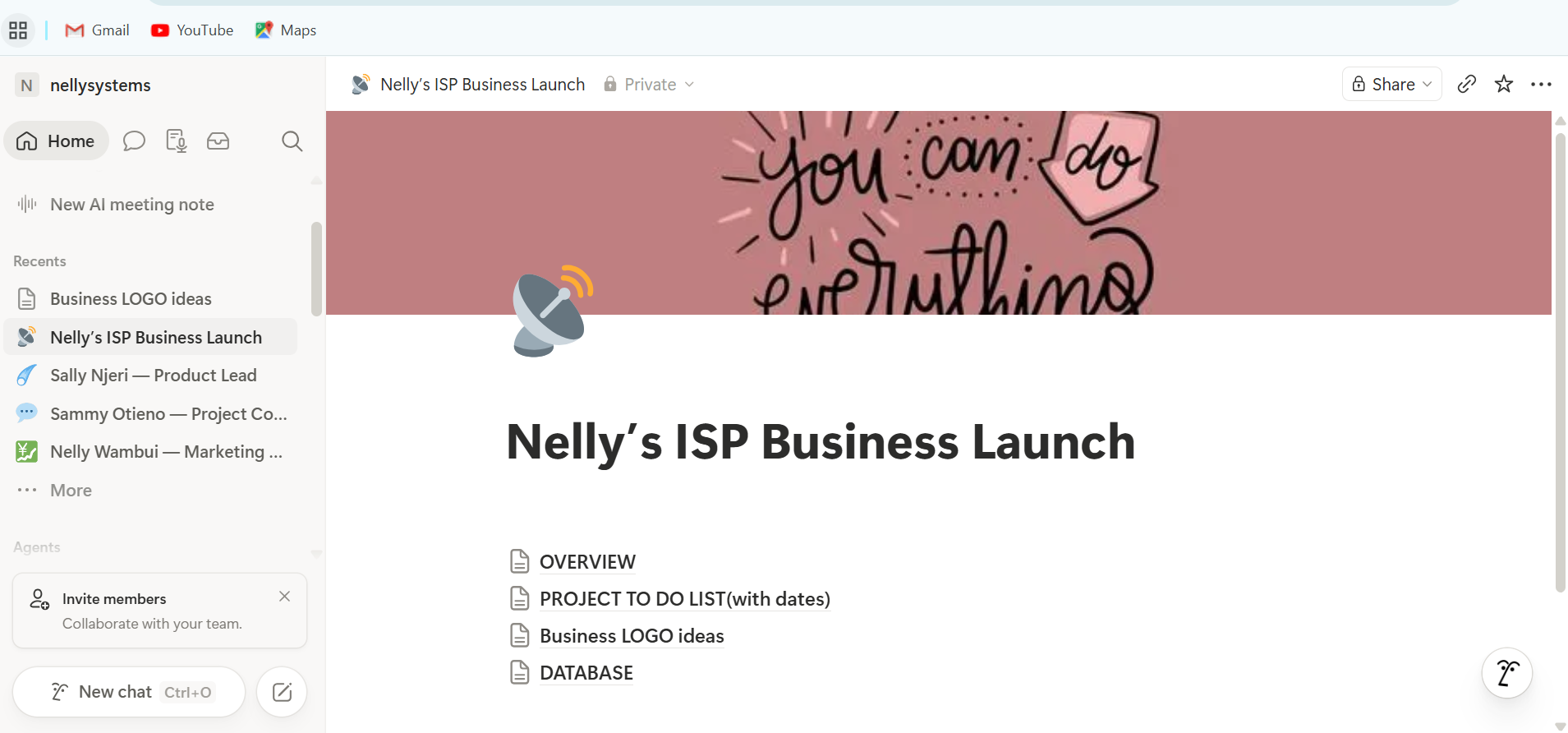
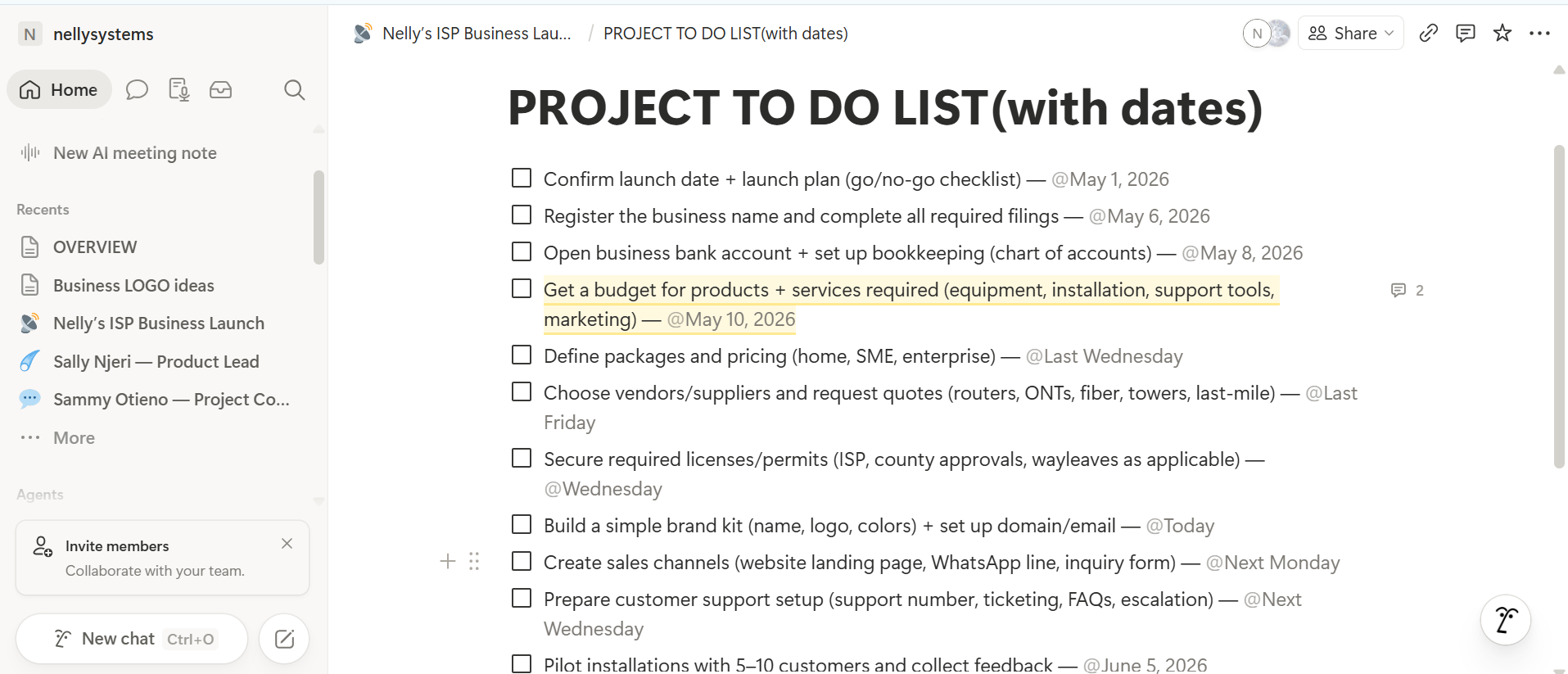
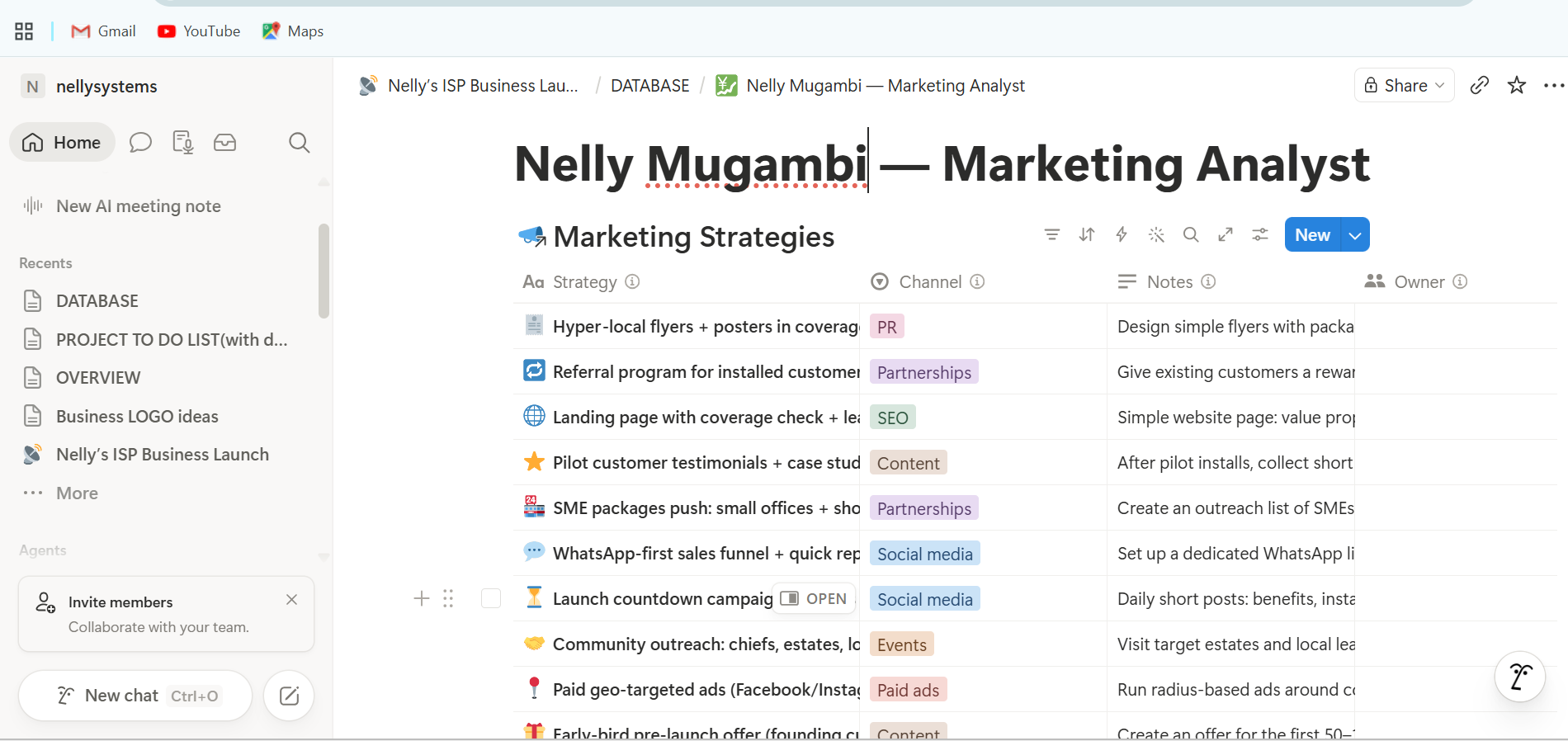
Project Management in Notion
These samples come from a sample project I built for a fictional business to show how I set up and manage projects in Notion.
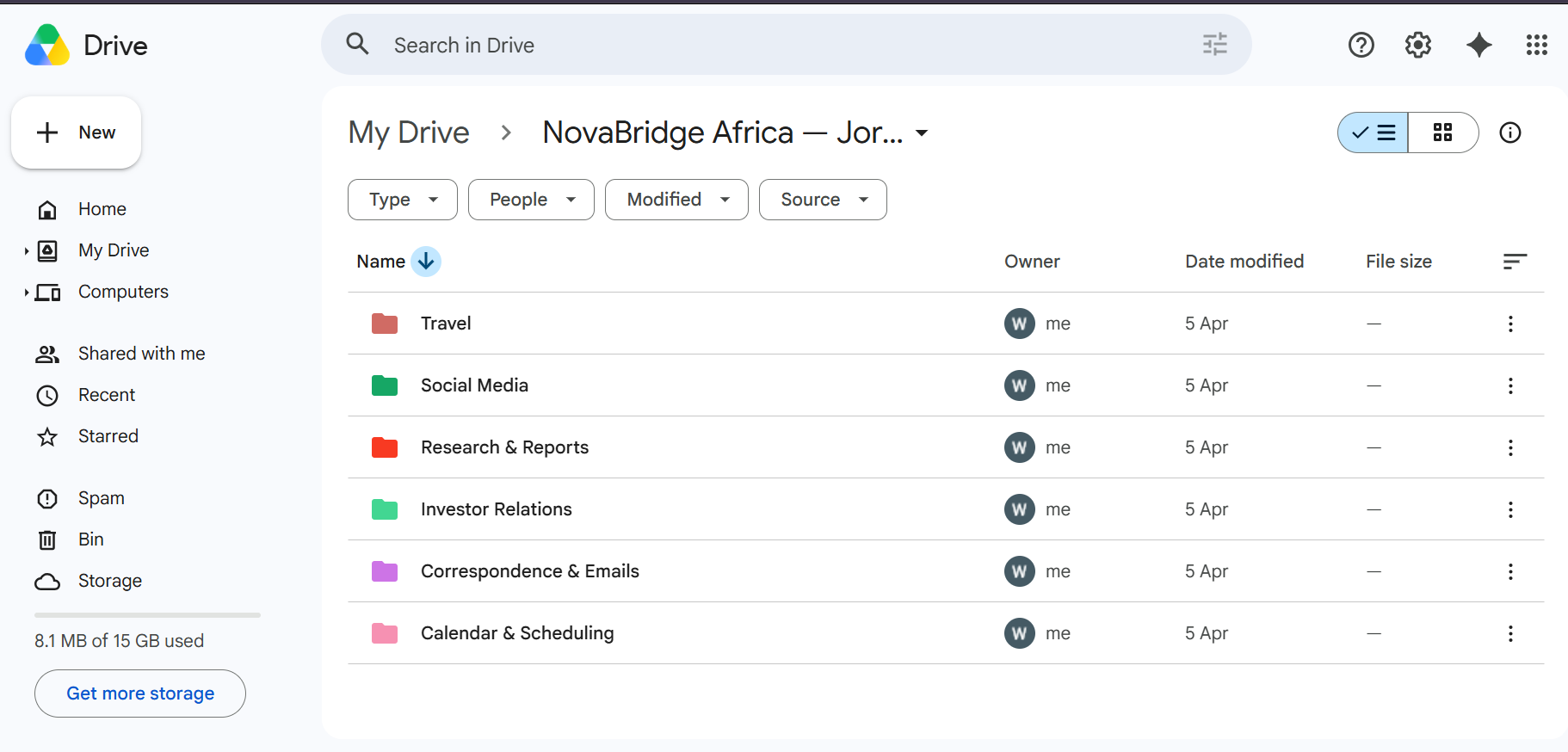
Google Drive Organization
Folder hierarchy and naming convention built to cut file-search time and maintain version control across a growing document library.
Travel Management
End-to-end itinerary system covering flights, hotels, and logistics for multi-city executive travel.
Calendar Management
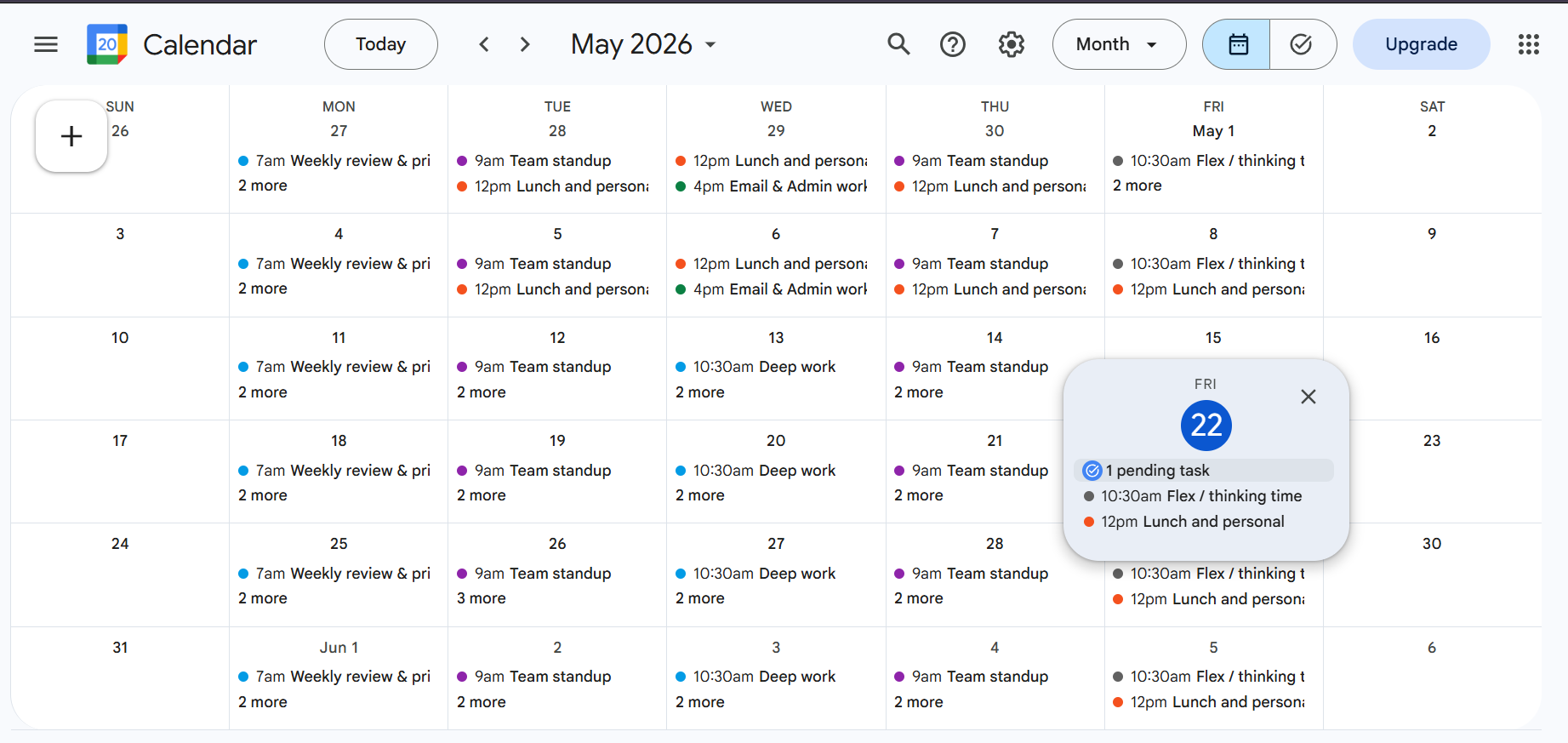
Recurring time-blocking system built in Google Calendar, with color-coded categories for standups, deep work, admin/email time, and personal/lunch breaks. Designed to protect focus time, prevent double-bookings, and keep a consistent weekly rhythm across a full month view.
Executive Client Onboarding Workflow System
A full onboarding system for an executive services business, built in Notion as the central CRM, with a client intake form feeding directly into it, automated welcome emails, kickoff scheduling via Calendly, and progress dashboards each client can track independently. Make handles the automation between the intake form, the CRM, email delivery, and scheduling, so a new client goes from form submission to scheduled kickoff without manual routing.
Honest note: this was built as a portfolio project following real world best practices, not for a paying client. It is fully functional and tested.
- Notion CRM
- Client intake form
- Automated welcome emails
- Kickoff scheduling
- Progress dashboards
- Make automation
Executive Command Center
An AI-powered email triage system built in n8n that automates the first layer of executive assistant work. Incoming emails are read by an AI agent (powered by Google Gemini), which extracts key details: category, priority, deadline, stakeholder, and required action. It then automatically routes each request down one of three paths: creating a calendar event, logging a task with priority and deadline, or drafting a reply. Communication requests specifically require human approval before anything is sent. The founder reviews the AI's draft and approves or rejects it, so speed never comes at the cost of judgment.
Honest note: this was built as a portfolio project to demonstrate systems-thinking and automation capability, not for a paying client. It's fully functional. I tested it end-to-end, including the AI classification, calendar and task automation, and the human-approval workflow for communications.
- n8n
- Gmail API
- Google Calendar
- Google Sheets
- Gemini AI
- Human-in-the-loop approval
My Approach & Work Style
I bring a structured and proactive approach to every task I handle. With a background spanning executive support, IT support, and data analysis, I don't just complete tasks. I understand systems, workflows, and how to improve efficiency behind the scenes.
Highly Organized & Detail-Oriented
Careful, structured work. The small things always add up.
Proactive in Identifying Gaps
Spotting issues before they become problems.
Reliable & Trustworthy
Discretion and consistency you can build on.
Systems-Focused
Building processes that outlast the task.
What You Can Expect From Me
- Clear communication: you will always know where things stand, without having to chase me.
- Dependable follow through: if I say I will do it, it gets done, and I flag early if something is at risk.
- Strong organization and attention to detail: your calendar, files, and tasks stay tidy, accurate, and easy to find.
- Proactive support: I point out gaps and possible problems before they slow you down.
Certifications
Formal training that backs up the systems and tools I work with.
Ready to streamline your operations and free up your time.
Whether you need ongoing executive support, operational coordination, or project-based assistance, I am ready to contribute from day one.
Helping you stay organized, efficient, and in control.